Doorbell cameras have shifted from luxury gadgets to essential home security tools. They let homeowners see who’s at the door before answering, record package deliveries, and capture suspicious activity, all from a smartphone. With more models on the market than ever, choosing the right one means understanding what separates a reliable device from a frustrating one. This guide walks through how these cameras work, which features matter most, installation considerations, and strategies to maximize security value.
Table of Contents
ToggleKey Takeaways
- A home security doorbell camera uses Wi-Fi to send live video feeds and alerts to your smartphone, featuring two-way audio, motion sensors, and night vision capabilities for complete front-door visibility.
- Choose between wired models (continuous power, advanced features, faster notifications) and battery-powered options (flexible installation, portability, but requiring regular recharging every 1–6 months) based on your home’s existing infrastructure and maintenance tolerance.
- Video quality of at least 1080p Full HD combined with motion detection zones that exclude high-traffic areas helps identify visitors and reduce false alerts from passing pedestrians or vehicles.
- Install the doorbell camera 48–52 inches from the ground for optimal face capture, and ensure a strong 2.4 GHz Wi-Fi signal to avoid slow notifications and buffering issues.
- Enable two-factor authentication, use strong passwords, review privacy settings, and maintain firmware updates to protect your doorbell camera from hacking and unauthorized access.
- Maximize security benefits by combining your doorbell camera with motion-activated lights, smart locks, and layered security practices rather than relying on it as a standalone solution.
What Is a Home Security Doorbell Camera and How Does It Work?
A doorbell camera replaces or supplements a traditional doorbell with a camera, microphone, and speaker built into a weatherproof housing. When someone presses the button or triggers motion sensors, the camera sends a live video feed and alert to the homeowner’s smartphone, tablet, or computer.
Most models use Wi-Fi to transmit video and notifications to the cloud or a local hub. Two-way audio lets users speak to visitors remotely, useful for giving delivery instructions or deterring porch pirates. Many devices integrate with broader home security systems for centralized monitoring.
The core components include:
- Camera module (wide-angle lens, typically 140°–180° field of view)
- Motion sensors (PIR or pixel-based detection)
- Microphone and speaker for two-way communication
- LED or infrared lights for night vision
- Chime unit (optional, connects to existing doorbell wiring or plugs into an outlet)
Power comes from either hardwired low-voltage connections (usually 16–24V AC from existing doorbell transformers) or rechargeable batteries. Cloud storage or local storage (via microSD or network video recorder) handles recorded footage. Some platforms require subscriptions for extended video history or advanced features like person detection.
Key Features to Look for in a Doorbell Camera
Not all doorbell cameras deliver the same performance. Prioritize features that match the home’s layout, security needs, and existing infrastructure.
Video Quality and Night Vision
Resolution matters for identifying faces and license plates. Look for at least 1080p (Full HD): some newer models offer 2K or 4K resolution for sharper detail. Higher resolution uses more bandwidth and storage, so confirm the home’s Wi-Fi can handle it.
Frame rate affects smoothness, 15–30 fps is standard. Anything lower can miss fast motion (like someone running off the porch).
Night vision comes in two forms: infrared (IR) or color night vision. IR provides black-and-white images in complete darkness, effective up to 15–30 feet. Color night vision uses built-in LED spotlights to illuminate the scene, which can deter intruders but also drain battery faster. According to testing by Tom’s Guide, color night vision models excel in dimly lit areas but consume more power.
High dynamic range (HDR) helps balance bright sunlight and shadowed porches, preventing washed-out or overly dark footage.
Motion Detection and Smart Alerts
Motion zones let users define specific areas the camera monitors, for example, ignoring sidewalk traffic while focusing on the porch and driveway. This reduces false alerts from passing cars or pedestrians.
Detection types vary:
- PIR (passive infrared) sensors detect heat signatures from people or animals. Battery models often rely on PIR to conserve power.
- Pixel-based detection analyzes video for movement. More accurate but demands more processing power.
- AI-powered detection distinguishes between people, animals, vehicles, and packages. Premium models offer this, though it usually requires a subscription.
Alert customization allows scheduling (e.g., notifications only during work hours) and sensitivity adjustments to minimize nuisance alerts. Two-way audio quality varies, look for noise cancellation to filter wind and traffic sounds during conversations.
Wired vs. Battery-Powered Doorbell Cameras: Which Is Right for You?
The choice between wired and battery-powered models depends on existing wiring, desired features, and maintenance tolerance.
Wired doorbell cameras connect to the home’s existing doorbell transformer (typically 16V AC). Advantages include:
- Continuous power, no recharging or battery swaps
- Faster notifications and more responsive live view
- Advanced features like 24/7 recording, pre-buffering (captures seconds before motion triggers), and higher video quality
- Better performance in extreme temperatures, batteries struggle in freezing or very hot conditions
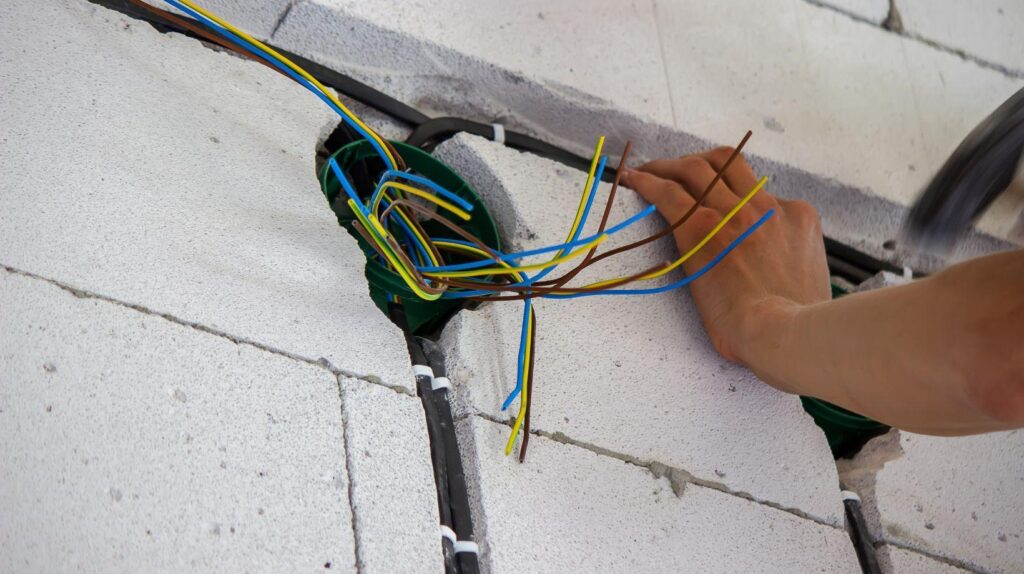
Installation requires compatible wiring. Homes without existing doorbell wiring may need a transformer installed, which involves basic electrical work. If the existing transformer is 10V or lower, it won’t power most modern doorbells reliably. Check the voltage with a multimeter before purchasing.
Battery-powered models offer flexibility:
- No wiring required, ideal for renters, homes without doorbell circuits, or remote installations (gate cameras, side doors)
- Quick installation, mount with screws or adhesive, pair with Wi-Fi, and activate
- Portability, easy to relocate or take when moving
Drawbacks include:
- Regular recharging (every 1–6 months depending on activity, weather, and settings)
- Slower wake-up times, battery models enter sleep mode to conserve power, sometimes missing the first second or two of motion
- Limited continuous recording, most offer event-based recording only
Some hybrid models use existing wiring for trickle charging, extending battery life without requiring frequent removal. For homes with robust CCTV infrastructure, wired integration often simplifies management.
DIY Installation Tips for Your Doorbell Camera
Most doorbell cameras are DIY-friendly, but proper installation ensures reliability and longevity.
Safety first: If working with wired models, turn off power at the breaker before disconnecting existing doorbell wiring. Low-voltage wiring (16–24V AC) won’t cause serious shock, but it’s good practice. Wear safety glasses if drilling into brick or masonry.
Wired installation steps:
- Remove the old doorbell. Unscrew the faceplate and disconnect wires. Label them if there are multiple connections.
- Check transformer voltage. Use a multimeter to confirm output. If below 16V, replace the transformer (usually located in the basement, garage, or near the main electrical panel).
- Mount the bracket. Use the provided template for screw placement. For brick or stucco, use masonry anchors and a hammer drill with a carbide bit. Most units require a level mounting surface, shim if the siding is uneven.
- Connect wires to the camera’s terminals (typically labeled). Polarity usually doesn’t matter for AC transformers, but verify in the manual.
- Attach the camera to the bracket and secure with the mounting screw (often a proprietary security screw to deter theft).
- Restore power and test the chime. If the chime hums or doesn’t sound, install the included chime adapter inside the existing chime box to prevent overload.
- Pair with the app and configure Wi-Fi, motion zones, and notification preferences.
Battery-powered installation:
- Charge the battery fully before mounting (3–6 hours typical).
- Mount the bracket using screws or adhesive strips. For stucco or brick, screws offer better hold.
- Snap the camera onto the bracket. Some models use a twist-lock mechanism.
- Download the app and follow pairing instructions. Most use Bluetooth or a QR code for initial setup.
- Test motion detection by walking through zones. Adjust sensitivity if needed.
Wi-Fi considerations: Doorbell cameras need strong, stable signals. If the router is far from the front door, use a Wi-Fi extender or mesh system. The 2.4 GHz band offers better range through walls: 5 GHz is faster but shorter range. Most doorbells work on 2.4 GHz only.
Mounting height: Install the camera 48–52 inches from the ground for optimal face capture. Too high, and you’ll only see the tops of heads: too low, and taller visitors dominate the frame.
For complex setups or homes requiring multiple cameras, consulting professional security installers can save time and ensure code compliance, especially if running new low-voltage wiring through walls.
Maximizing Your Doorbell Camera’s Security Benefits
Installation is just the starting point. Fine-tuning settings and integrating the camera into broader security practices amplifies its value.
Optimize motion zones. After installation, test detection at different times of day. Adjust zones to exclude high-traffic areas (sidewalks, streets) while covering entry points. For driveways, include the approach path to capture vehicles before they park.
Enable two-factor authentication (2FA) on the camera’s app account. Doorbell cameras are internet-connected devices, weak passwords invite hacking. Use unique, strong passwords and activate 2FA to prevent unauthorized access.
Review privacy settings. Some platforms share footage with law enforcement or neighbors by default (e.g., certain neighborhood watch integrations). Adjust these settings based on comfort level. Check local laws about audio recording: some states require two-party consent for recording conversations.
Test night vision regularly. IR LEDs can degrade over time. Walk the porch at night and review footage to ensure faces remain identifiable. Clean the lens monthly with a microfiber cloth, dirt, spider webs, and pollen reduce clarity.
Integrate with other security layers. Doorbell cameras work best alongside professional home security systems, motion-activated lights, and deadbolts. Smart home enthusiasts can create automation rules: trigger porch lights when motion is detected, or lock smart locks after a delivery is confirmed.
Leverage cloud storage wisely. Free tiers often include 24–48 hours of rolling storage. Paid plans extend this to 30–60 days and add features like person detection or activity zones. Download critical footage immediately, relying solely on cloud storage means losing evidence if the subscription lapses or the account is compromised.
Maintain battery health. For battery models, avoid letting charge drop below 20% repeatedly, which shortens lifespan. In cold climates (below 32°F), expect reduced runtime. Some users keep a spare battery charged for quick swaps.
Update firmware regularly. Manufacturers release updates to patch vulnerabilities and improve performance. Enable automatic updates if available, or check manually every few months. According to reports from Digital Trends, outdated firmware is a common entry point for security breaches.
Communicate with visitors. Use two-way audio proactively, instructing delivery drivers to leave packages in a specific spot reduces theft opportunities. The visible presence of a camera alone deters many opportunistic crimes, but active monitoring enhances effectiveness.
Weatherproofing maintenance. Even IP65-rated devices benefit from occasional checks. Inspect seals around the lens and speaker grille for cracks. If water ingress occurs, it typically shows as condensation inside the lens or erratic behavior.
By treating the doorbell camera as one component of a layered security approach, not a standalone solution, homeowners gain measurable improvements in deterrence, evidence collection, and peace of mind. Proper installation, thoughtful configuration, and regular maintenance turn a modest investment into reliable, long-term protection.