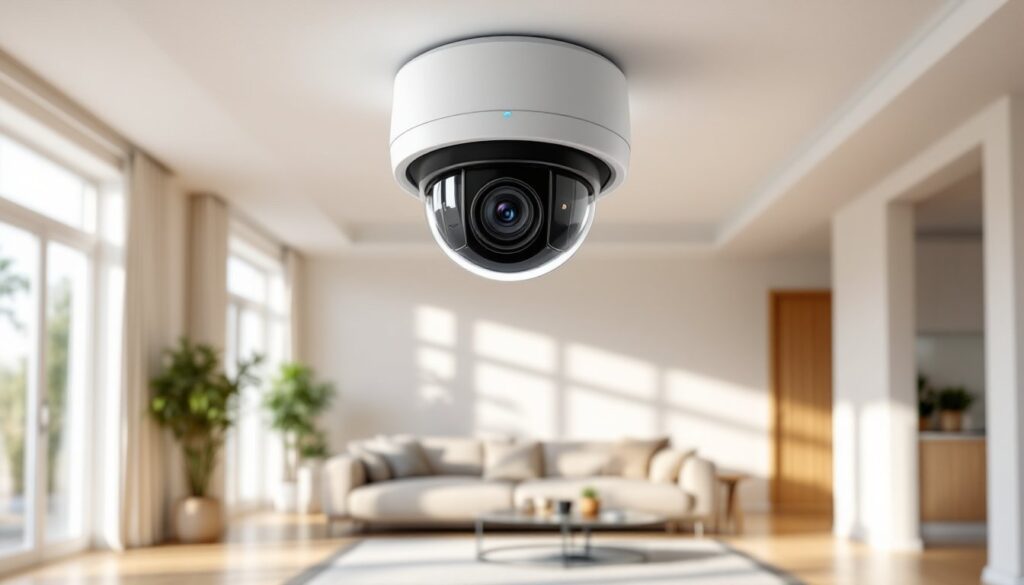
Small business owners wear a lot of hats. Security manager shouldn’t have to be one of them, but theft, vandalism, and liability claims make surveillance a necessity, not a luxury. The right security camera system acts as eyes on the property 24/7, deters bad actors, and provides evidence when things go sideways. But choosing between dozens of systems, each promising “crystal-clear HD” and “AI-powered alerts”, can feel like navigating a hardware store blindfolded. This guide cuts through the marketing speak and focuses on what actually matters for small business security.
Table of Contents
ToggleKey Takeaways
- Dedicated security camera systems for small business are essential for deterring theft, reducing liability claims, and providing evidence during incidents—far more effective than generic home systems.
- Prioritize cameras with 1080p minimum resolution, motion detection with AI to reduce false alerts, weatherproof ratings (IP66/IP67), and PoE power for 24/7 reliability without battery concerns.
- Wired PoE systems deliver the most stability and are ideal for permanent retail or office installations, while wireless systems offer faster deployment and flexibility for small spaces or temporary locations.
- Local NVR storage keeps costs low with no monthly subscriptions and full owner control, but cloud backup provides critical protection against on-site disasters and theft of the recording device.
- Plan camera placement strategically at entrances, cash registers, and blind spots at 7-10 feet high, and always post visible surveillance signage to comply with local laws and maximize deterrent effect.
- Popular systems like Reolink RLK16-800B8 (wired), Lorex Fusion (hybrid), and Arlo Pro 4 (wireless) each serve different business needs—evaluate your property size, budget, and technical comfort before choosing.
Why Small Businesses Need Dedicated Security Camera Systems
Generic home security cameras won’t cut it for most commercial properties. Small businesses face different threats than residential homes: employee theft accounts for significant inventory loss, customer slip-and-fall claims can trigger costly lawsuits, and after-hours break-ins target cash registers and equipment.
A dedicated business security system handles these scenarios with features home systems lack. Commercial-grade cameras offer wider fields of view to cover sales floors and stockrooms, higher resolution for reading license plates in parking lots, and weatherproof housings rated for outdoor installation. Many jurisdictions require businesses to retain surveillance footage for 30 to 90 days for liability purposes, far longer than the typical 7-day cloud storage offered by consumer cameras.
Beyond deterrence, cameras create accountability. Employees work more carefully when they know cameras monitor inventory handling. Customers think twice about false injury claims when signage indicates video recording. And if the worst happens, footage becomes critical evidence for police reports and insurance claims. The home security camera installation process for businesses often requires strategic placement at entry points, cash registers, and blind spots.
Key Features to Look for in Small Business Security Cameras
Not all security cameras are built equal. Here’s what separates effective business surveillance from wasted money:
Resolution: Aim for 1080p (2MP) minimum, but 4MP or 4K cameras provide clearer detail for identifying faces and reading text. Higher resolution matters most for cameras covering large areas like parking lots or warehouse floors.
Night Vision: Infrared (IR) LEDs illuminate up to 100 feet in complete darkness. For color night footage, look for starlight sensors or cameras with built-in spotlights. Retail environments benefit from IR, while parking lots often need visible deterrent lighting.
Field of View: Wide-angle lenses (90-130 degrees) cover broad areas with fewer cameras. Varifocal lenses let owners adjust the zoom after installation, helpful when coverage needs change. Corner-mounted cameras typically need wider angles than hallway units.
Motion Detection and Alerts: AI-powered detection distinguishes between people, vehicles, and animals, reducing false alerts from passing cars or stray cats. Push notifications to smartphones let owners respond in real-time, even off-site. According to recent reviews on Digital Trends, smarter motion detection significantly reduces alert fatigue.
Two-Way Audio: Built-in microphones and speakers allow remote communication. Owners can warn off trespassers or answer after-hours customer questions without being physically present.
Weather Resistance: Outdoor cameras need an IP66 or IP67 rating to withstand rain, snow, and temperature swings. Metal housings hold up better than plastic in harsh climates.
Power Options: PoE (Power over Ethernet) cameras draw power and transmit data through a single cable, simplifying installation. Battery-powered wireless cameras work for temporary setups but require regular recharging, not ideal for 24/7 monitoring.
Top Security Camera Systems for Small Business Owners
Choosing the right system depends on property size, budget, and technical comfort level. Here are proven options:
Reolink RLK16-800B8 (Wired PoE System): This 16-channel NVR kit includes eight 4K cameras and supports adding eight more. PoE connections eliminate separate power supplies. The 2TB NVR stores about 14 days of continuous 4K footage. It’s reliable for retail shops, small offices, and warehouses needing comprehensive coverage. No monthly fees, all storage is local.
Lorex Fusion (Hybrid System): Combines wired and wireless cameras on one system. The NVR supports up to 16 cameras, mixing PoE and Wi-Fi units. This flexibility works well for properties with both easy-to-wire areas (like storefronts) and hard-to-reach spots (like detached garages). Optional cloud backup available but not required.
Arlo Pro 4 (Wireless Cloud System): Completely wire-free with 2K resolution and color night vision. Cameras run on rechargeable batteries lasting 3-6 months depending on activity. Best for small retail spaces, food trucks, or pop-up shops where running cables isn’t feasible. Requires a subscription for extended cloud storage and advanced features. The system integrates with various professional security system installers for commercial setups.
Hikvision DS-7608NI-K2/8P (Professional PoE NVR): An 8-channel 4K NVR with PoE ports and support for Hikvision’s extensive camera lineup. Popular with businesses planning to expand, accepts third-party ONVIF cameras too. Advanced features include intrusion detection zones and line-crossing alerts. The learning curve is steeper but offers granular control.
Ring Stick Up Cam (Budget Wireless Option): At under $100 per camera, it’s the entry point for micro-businesses. 1080p resolution, two-way talk, and easy app control. Limited to Ring’s ecosystem and requires a subscription for video history. Works for small offices or single-room shops but lacks enterprise features.
Wireless vs. Wired Systems: Which Is Right for Your Business?
Wired PoE systems deliver the most reliability. Since cameras pull power and data through Ethernet cables, there’s no Wi-Fi interference, no dead batteries, and no bandwidth choking when multiple cameras stream simultaneously. Installation requires running Cat5e or Cat6 cable through walls or conduit, doable for new construction or spaces with accessible ceilings. A single PoE switch can power eight cameras up to 328 feet from the NVR. Wired systems suit permanent installations in retail, restaurants, and offices.
Wireless systems win on flexibility and speed. No cable fishing means cameras mount almost anywhere with Wi-Fi coverage. Battery-powered models eliminate electrical work entirely. The tradeoff? Wi-Fi congestion from multiple cameras can cause lag or dropouts, especially on crowded 2.4GHz networks. Batteries need swapping or recharging, a hassle for high-traffic cameras recording constantly. Wireless works best for small footprints (under 2,000 sq ft), temporary locations, or businesses renting their space.
Many pros split the difference: wired cameras for critical zones (cash registers, entrances, safes) and wireless units for secondary areas. Hybrid systems like the Lorex Fusion accommodate both. Testing by CNET consistently shows wired systems provide more stable footage during high-traffic hours.
Cloud Storage vs. Local Storage: Weighing Your Options
Storage determines how long footage remains accessible and who controls it.
Local storage uses an NVR or DVR with internal hard drives. A 2TB drive holds roughly two weeks of 1080p footage from four cameras recording continuously, or a month of motion-activated clips. 4TB or larger drives extend retention to 30-60 days. Owners control the footage, no third party can access, delete, or charge for it. If the NVR is stolen or damaged, but, the footage goes with it. Backup solutions include secondary drives or periodic offsite copying.
Cloud storage uploads footage to remote servers. It’s accessible from any internet-connected device and survives on-site disasters (fire, theft, flooding). The catch: monthly subscriptions add up fast. Plans typically charge per camera, $3 to $10 monthly for 30 days of history. For eight cameras, that’s $24 to $80 per month, or $288 to $960 annually. Cloud systems also depend on upload bandwidth: a business with slow internet may experience delays or missing clips during busy periods.
Hybrid approaches store footage locally while backing up critical events (motion alerts, alarm triggers) to the cloud. This balances cost and redundancy. For businesses in regions prone to power outages or break-ins targeting the NVR, cloud backup is worth the expense. Those on tight budgets with reliable on-site conditions can skip it. Reviews on Tom’s Guide often highlight hybrid storage as the sweet spot for small business needs.
Installation Tips for DIY Small Business Owners
Installing a security camera system is within reach for most DIYers, but planning prevents headaches.
1. Map Camera Placement First: Walk the property and note vulnerable areas: entrances, cash registers, inventory storage, parking lots, and blind corners. Position cameras 7-10 feet high, low enough for clear facial detail, high enough to avoid tampering. Angle downward slightly to capture faces, not the tops of heads.
2. Run Cables Before Mounting (Wired Systems): For PoE cameras, pull Cat6 cable from each camera location to the NVR. Use conduit for outdoor runs to protect against weather and rodents. Label both ends of every cable, trust me, future troubleshooting depends on it. A cable tester confirms continuity before plugging in cameras.
3. Secure the NVR: Place the NVR in a locked room or secure cabinet. If burglars can unplug or steal it, they can destroy evidence. Ensure adequate ventilation, NVRs generate heat and can overheat in tight spaces.
4. Configure Network Settings: Assign the NVR a static IP address on the local network to prevent connectivity loss after router reboots. Change default passwords immediately, many systems ship with generic credentials attackers know. Enable remote viewing through the manufacturer’s app, but avoid opening unnecessary ports to the internet.
5. Test Night Vision and Motion Zones: After installation, walk through the property at night to verify IR illumination covers key areas. Adjust motion detection zones to exclude high-traffic spots (like busy sidewalks) that trigger false alerts.
6. Post Signage: In most jurisdictions, businesses must notify employees and customers of video surveillance. Check local laws, some states require consent for audio recording. Visible signage also boosts deterrence.
Safety Note: Outdoor installations may require working on ladders near electrical lines. Use a fiberglass ladder and wear gloves. If running cable through walls with existing wiring, turn off power at the breaker. For installations above single-story heights or involving complex electrical work, hiring licensed security installers is the safer call.
When to Call a Pro: Multi-story buildings, integration with existing alarm systems, or locations requiring conduit bending and fishing through finished walls often justify professional installation. Expect to pay $100-$200 per camera for labor, but pros deliver code-compliant work with warranties.
Conclusion
Security cameras aren’t just about catching criminals, they reduce liability, improve operations, and give business owners peace of mind when they’re off the clock. Wired systems offer reliability: wireless systems offer flexibility. Local storage cuts recurring costs: cloud storage provides offsite redundancy. The best system matches the business’s footprint, budget, and growth plans. With proper placement and a bit of planning, even first-time DIYers can install surveillance that protects their investment for years.